



- SlowMist says stolen Telegram session files may bypass normal two-factor checks
- The malware targets at least 16 desktop wallets and hundreds of browser extensions
- Fake Ledger and Trezor apps can request recovery phrases, PINs, and passphrases
According to a report by SlowMist, a newly examined macOS malware campaign can hijack Telegram sessions, copy cryptocurrency wallet databases, and replace trusted hardware-wallet software with deceptive applications.
The attack emerged after a July 8 report involving a fake BuilDAO community application hosted on Google Sites. Victims were first redirected to a fabricated OAuth security check, which instructed them to download an AppleScript file or paste a command into Terminal. Once executed, the command installed a universal Mach-O payload capable of operating on both Intel-based and Apple silicon Macs.
Stolen Telegram Sessions Can Bypass Two-Factor Checks
SlowMist said the sample resembles Atomic macOS Stealer variants and collects far more than ordinary login credentials. It targets Keychain files, browser passwords, cookies, Apple Notes, Telegram data, and files from at least 16 desktop wallet applications.
Researchers found Electrum, Exodus, Atomic Wallet, Bitcoin Core, Ledger Live, Trezor Suite, and Sparrow among the targeted programs. Browser scans also searched hundreds of wallet-extension identifiers.
However, Telegram access depended on stolen local session files rather than defeated two-factor authentication. During testing, researchers copied the platform’s “tdata” directory to another compatible Mac.
Consequently, the account opened without a phone number, code, or two-step verification password, as the files represented an already authorized session. SlowMist added that restored access might not immediately appear as an obvious new device, delaying user detection.
Fake Wallet Apps Target Recovery Phrases and PINs
Beyond compromising Telegram sessions, the macOS malware used two separate methods to target cryptocurrency wallets. First, it copied encrypted wallet databases while collecting possible passwords from Keychain, browsers, Apple Notes, and a fraudulent administrator prompt.
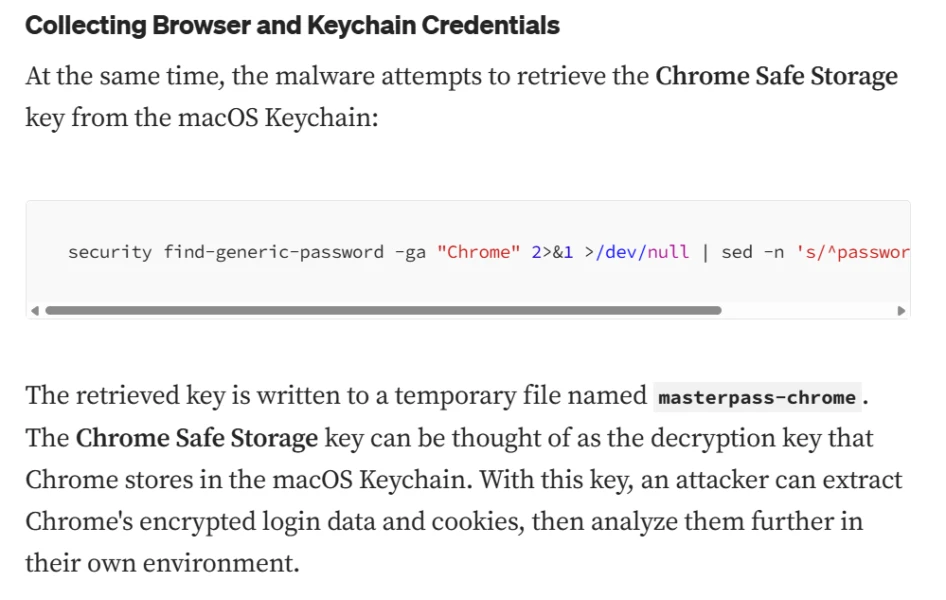
During testing, researchers restored an Atomic Wallet database and successfully decrypted it offline using one of the harvested passwords. This demonstrated how stolen wallet files and reused credentials could collectively provide access to protected assets.
Meanwhile, the malware pursued a second attack route by removing legitimate Ledger Live, Ledger Wallet, and Trezor Suite installations. It then replaced them with lookalike applications that displayed attacker-controlled webpages under familiar names and icons.
As a result, the fraudulent clients could request recovery phrases, PINs, or passphrases without establishing genuine hardware communication or performing local transaction signing. Therefore, the campaign relied primarily on social engineering rather than exploiting a newly disclosed macOS vulnerability.
Following possible exposure, SlowMist advised users to terminate all Telegram sessions from a trusted device, update their security credentials, and replace reused passwords. In cases involving potential wallet compromise, users should generate a new recovery phrase on a clean device and transfer their assets.
Related: Telegram t.me Domain Suspension Disrupts Access to TON Wallet and Crypto Services
Disclaimer: The information presented in this article is for informational and educational purposes only. The article does not constitute financial advice or advice of any kind. Coin Edition is not responsible for any losses incurred as a result of the utilization of content, products, or services mentioned. Readers are advised to exercise caution before taking any action related to the company.